

What Do Your Subscription Plans Look Like in Other Currencies?
This isn't just about currency conversion; it's about comparing currencies when pricing subscription levels


I recently changed my subscription plans. Before I decided on the new charges, I wanted to see what they would be in different currencies.
I started by doing approximations in my head, but I soon became confused.
Using a currency converter was easier, but I wanted to make ten conversions simultaneously.
It was then that I had the idea of using a spreadsheet:
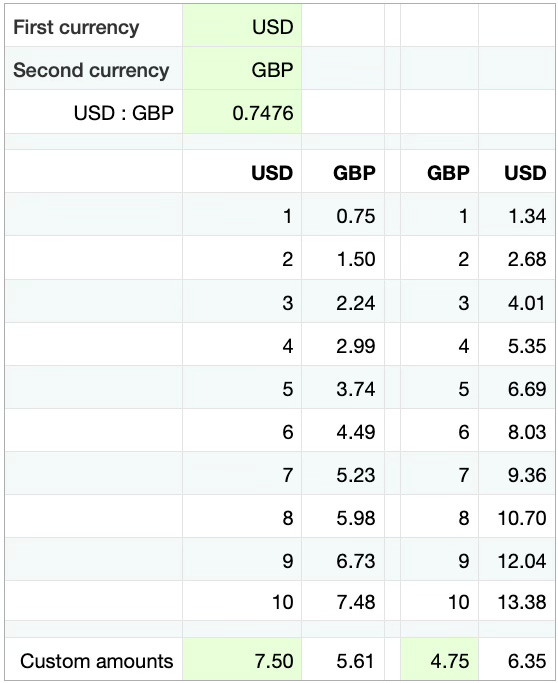
Paid subscribers can download this spreadsheet from the Spreadsheets section of the Learning Pages Digital Vault.
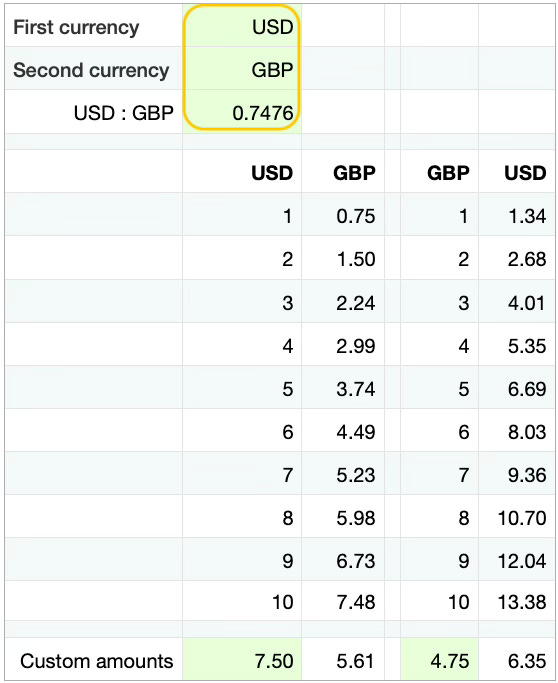
Enter the first and second currencies.
Then enter the current conversion rate.
Don’t enter zero or leave this cell blank.
You can find free currency converters online, or if you are a paid subscriber, you can download a Python Currency Converter script or macOS app from the Programs section of the Learning Pages Digital Vault.
It’s easy to multiply the currencies by ten to give you more options.
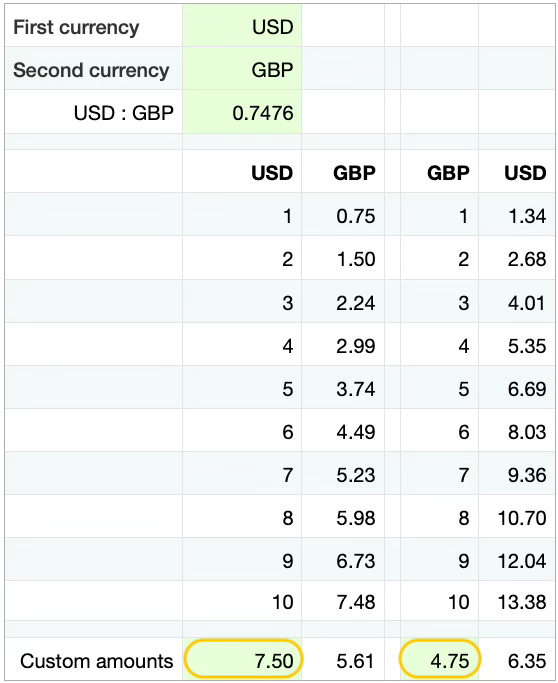
The last row of the spreadsheet allows you to convert custom amounts.
Paid subscribers can download Python Currency Comparisons and Currency Conversion scripts from the Programs section of the Learning Pages Digital Vault.
Associate (Foundation) Members can request tailored versions of these digital products.
Thanks to Klara Sovryn and Emily Ames for suggesting that I reassess my subscription plans.
Good to know!!